Convert Your PDF and Image Menu to QR Menu in Seconds
Stop entering your menu items one by one! Upload your printed menu in PDF or JPG format, and let our advanced AI technology automatically import your products, categories, and prices in seconds.
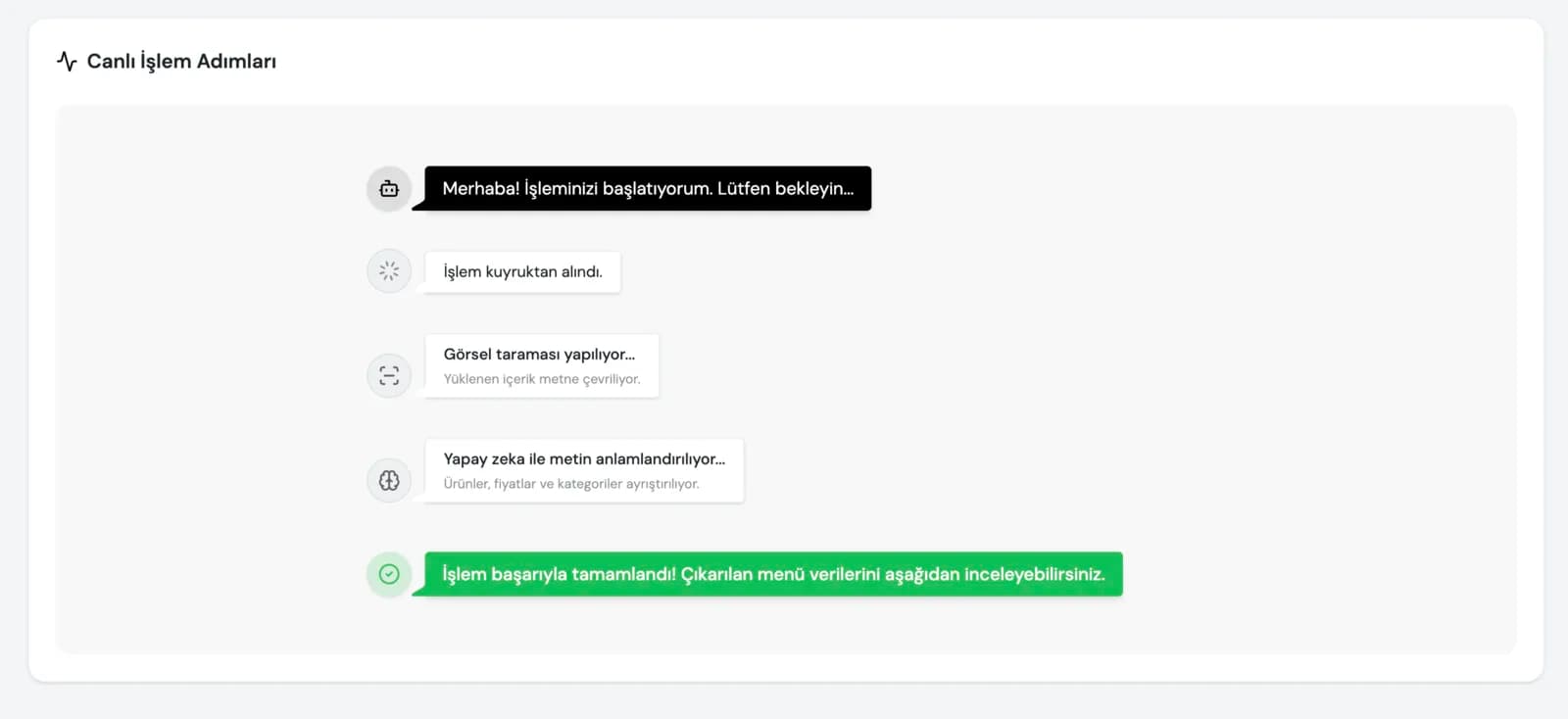
With AI Engine
Menu Ready in Seconds!
How to Import Your Menu to PinnerOne?
Thanks to PinnerOne's next-generation AI assistant, preparing a menu now takes seconds instead of hours. Just take a photo or upload your PDF file, and let PinnerOne AI do the rest.
1. Drag or Select Your File
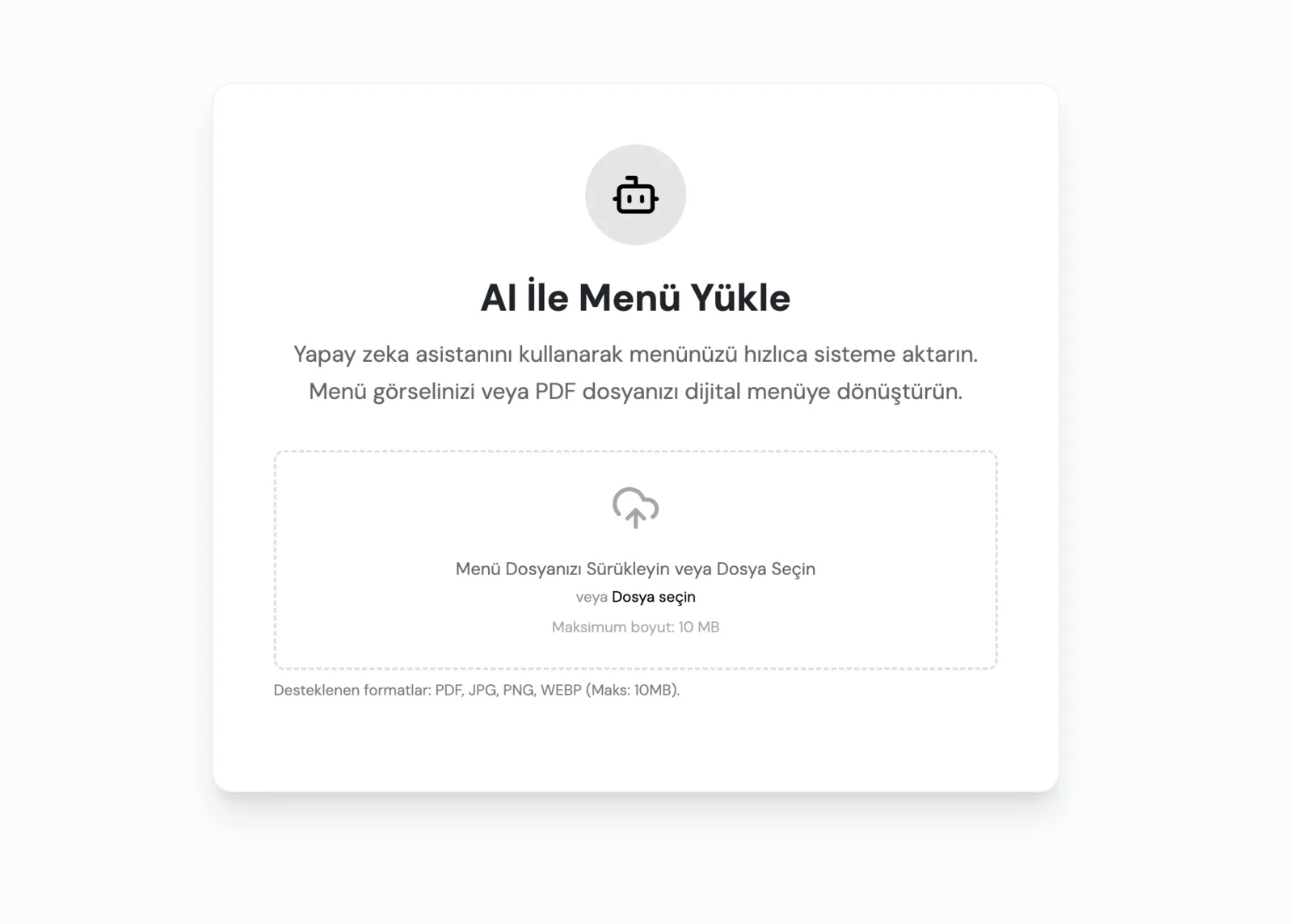
The first step to creating your menu is very easy. Open the "AI Menu Upload" assistant after logging into the system.
Upload your menu file in PDF, JPG, PNG or WEBP format (maximum 10MB) to the system.
2. Let the AI Assistant Analyze the Content
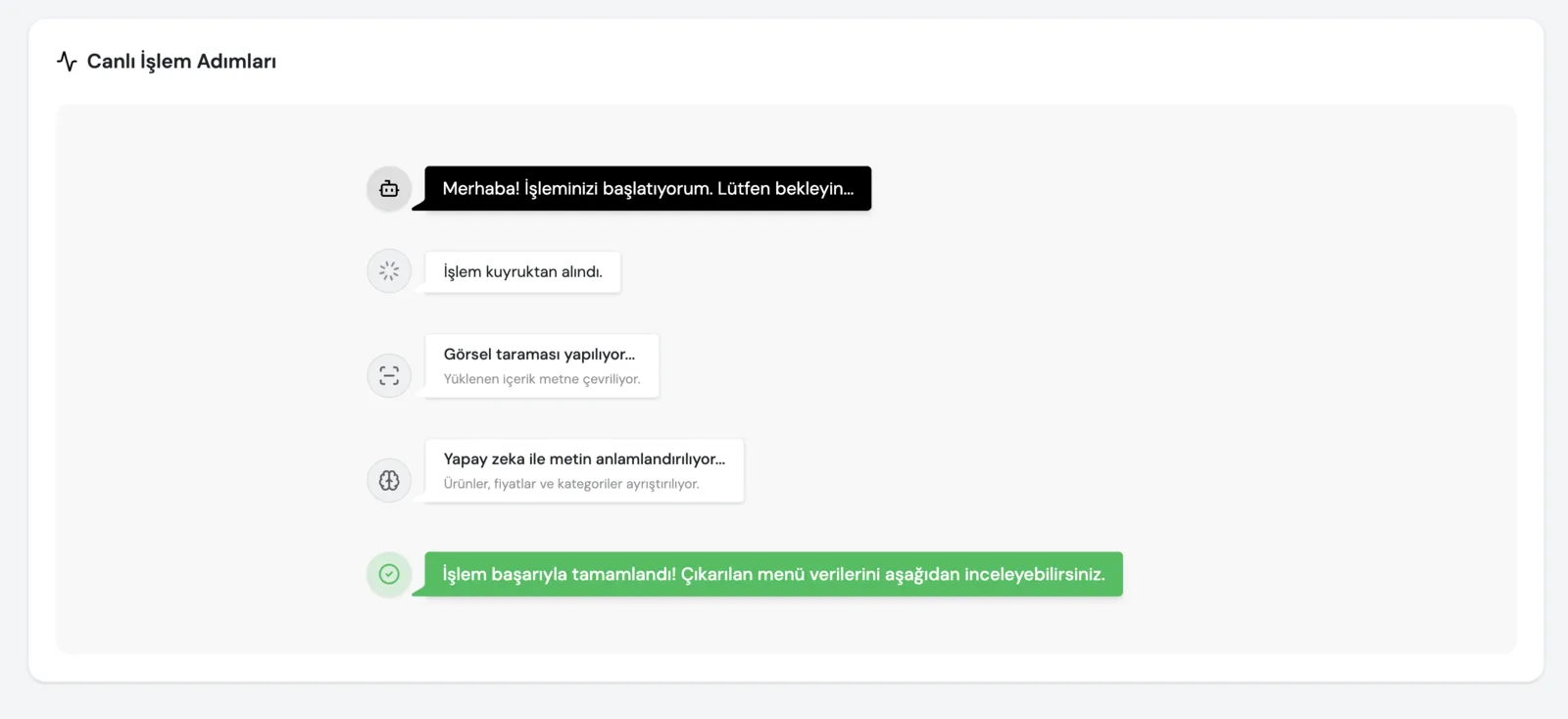
After uploading your file, PinnerOne's powerful AI engine starts analyzing your menu. It detects all product names, descriptions, categories, and prices with great accuracy.
This process takes only a few seconds depending on the length of your menu. What could take days with traditional methods is now ready with a single click!
3. Verify and Start Using Instantly
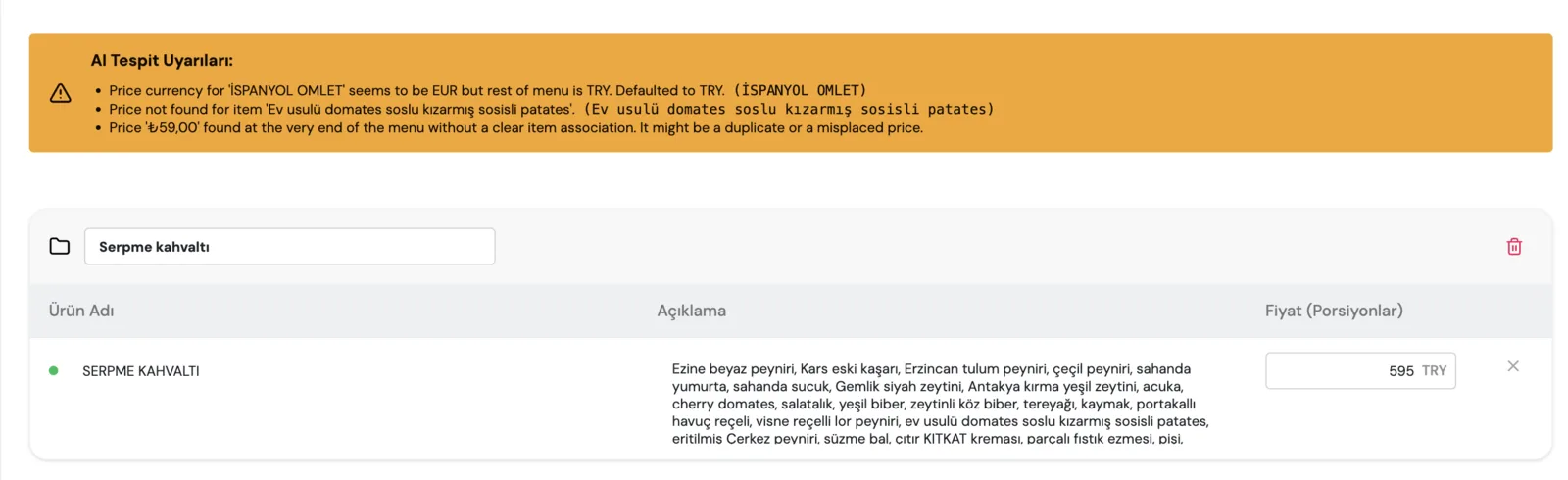
Review the list generated by the AI on the screen. You will see how accurately your categories and products matched. Make minor adjustments if necessary and save immediately.
Congratulations! Your menu is now ready for your QR Menu, POS system, and Kiosks. All your products are defined in the system and ready to use.
Why Create Your Menu with AI?
Leave traditional menu creation behind. PinnerOne AI saves you time and money.
Translation in Seconds
Digitize all the items from your PDF or price list in seconds instead of days.
Zero Error Margin
Advanced OCR and AI perfectly matches product names, descriptions, and prices.
Auto-Categorization
Automatically groups your products (Drinks, Mains, Desserts, etc.) using AI.
Continuous Learning
Gets smarter with every file, building the perfect digital structure for your menu instantly.
Frequently Asked Questions
Most common questions about our AI assistant
What file formats can I upload?
Our system supports PDF, JPG, PNG, and WEBP formats. They just need to be in readable quality.
Are prices and currencies detected accurately?
Yes, our AI engine accurately matches price tags and currencies to their respective products.
Is there a file size limit for uploads?
For best performance, we recommend uploading files no larger than 10 MB.
Can I make edits after the import?
Absolutely. Once the AI generates the menu, you can make any revisions on the confirmation screen before publishing.
Go Digital Right Now
Try our smart menu system for your restaurant free for 14 days. No credit card required.
Try for Free